
As an experienced SEO expert and long-time WordPress user, I understand the challenges site owners face in optimizing their websites for better visibility.
While plugins do not directly influence search engine rankings, they offer essential tools to streamline various aspects of your site’s SEO strategy.
In this article, I share a carefully selected list of the best WordPress SEO plugins that can help elevate your website’s performance and support your ongoing optimization efforts.
Ready to supercharge your SEO game with WordPress plugins? Let’s begin.
Best WordPress SEO Plugins [Key Takeaways]
- SEO plugins help boost WordPress site rankings by handling technical tasks and improving content.
- Top plugins include Rank Math, Yoast SEO, WP Rocket, SEOPress, and Schema Pro.
- These tools offer features like keyword optimization, XML sitemaps, schema markup, and speed improvements.
- Many plugins have free versions, making them accessible to all site owners.
- Using SEO plugins can save time and improve search visibility without needing expert knowledge.
Why Use an SEO Plugin for WordPress?
SEO plugins make it easy to boost your site’s search rankings. I can optimize my posts for target keywords, tweak meta/website titles and descriptions, and improve readability scores with just a few clicks.
These tools also take care of important behind-the-scenes elements. They auto-generate XML sitemaps to help search engines index my site better. With better visibility through WordPress SEO, more people can find your site when they search online. Many also offer social media integration to boost my content’s reach.
SEO plugins also make technical SEO for SaaS and other niches easy. They handle schema markup on their own. These tools also help me find and fix broken links automatically. They can easily set up redirects.
Top 10 WordPress SEO Plugins (Survey Results)

I asked 94 industry professionals to share their best WordPress SEO plugins. The results are in and I’ve curated the list into a helpful selection of the top 10.
Here are the leading five plugins from my survey:
- Rank Math: 25.15%
- Yoast SEO: 22.70%
- WP Rocket: 10.43%
- SEOPress: 8.59%
- Schema Pro: 4.91%
Below, I cover the top ten WordPress SEO plugins in more detail.
1. Rank Math
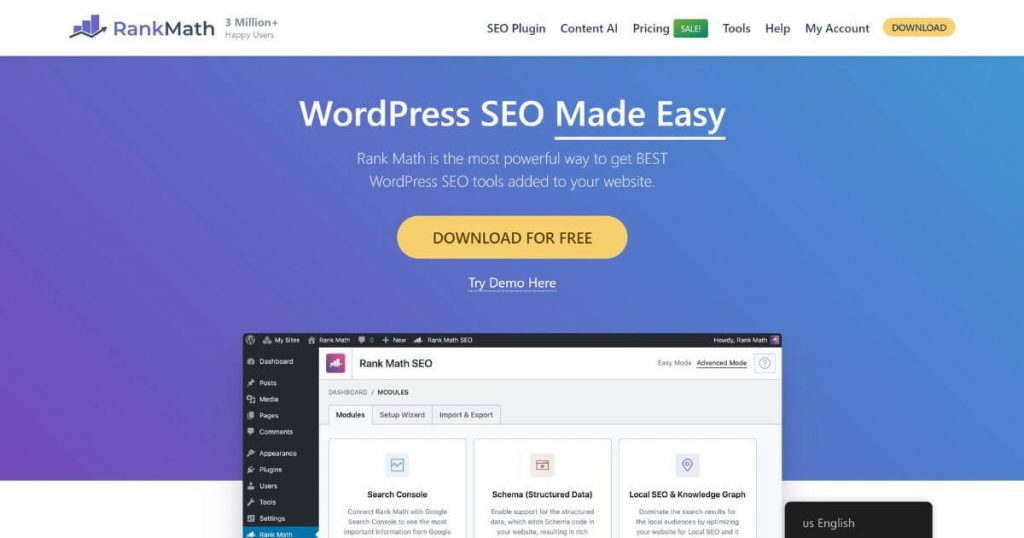
Rank Math is super easy to use and is packed with features. It helps me optimize my posts through top-notch built-in tools for on-page SEO analysis. Rank Math offers comprehensive insights, ensuring that I follow best practices and make my content shine for search engines. The plugin provides real-time suggestions, recommending tweaks that can enhance my site’s visibility and performance.
Rank Math goes beyond basic SEO. It supports rich snippets and schema markup, which are important for getting noticed online. This enables search engines to understand my content better, potentially improving how my pages are displayed in search results. Plus, it functions well with Google Search Console, giving me valuable insights. I have access to detailed analytics, helping me identify opportunities for improvement.
Rank Math also serves as keyword rank tracking tools. And it doesn’t slow down my site. Its lightweight architecture ensures that my blog remains fast and responsive, offering a seamless experience for visitors while maximizing SEO potential.
Rank Math pricing: Pro plan costs $6.99/month; Business plan costs $20.99/month; Agency plan costs $49.99/month, each with annual billing.
“It’s a staple to get your foundations in place when starting a new site. GSC verification, 301 redirects, controlling robots directives, etc. The more powerful free features are paid features in other tools. Like the ability to add schema dynamically, get insights from your analytics tools, and automatically submit your site to be indexed through their IndexNow integration. Their documentation is clear, useful, and without fluff. The UI is the most intuitive out of any of the other tools I’ve used.” — Ken Marshall, Chief Strategy Officer, Revenue Zen
Apart from its plugin, the Rank Math platform offers many other features and functionalities to enhance SEO. Read more about them in my detailed Rank Math review.
2. Yoast SEO

Yoast SEO is the go-to for many site owners. Renowned for its user-friendly interface, it is a powerhouse for on-page optimization, helping users fine-tune content with real-time analysis. The plugin checks keyword usage and readability, giving quick tips to boost SEO. With its intuitive traffic light system, you can easily identify areas to improve and enhance content performance.
It auto-generates XML sitemaps, making it easy for search engines to crawl your site. This ensures content is indexed efficiently, maximizing visibility in search results. Plus, it supports schema markup, which helps search engines grasp context better, potentially boosting how pages appear in search snippets.
Yoast also manages breadcrumbs for user-friendly navigation, which makes your site more accessible to visitors. The team behind Yoast keeps it fresh, always updating to match the latest SEO trends.
Yoast SEO pricing: Comes with a free plan or a price of $99.99/year (excluding VAT) for the Premium version.
“I particularly like how Yoast makes it easy to optimize each page and post for specific keywords. The content analysis gives you clear feedback on how to improve your content for better SEO and user experience. Things like keyword density, meta descriptions, headings, and media captions can all be tuned per page. The XML sitemap generator is also very useful for search engine crawling. And if you want more advanced capabilities, the premium version includes support for local SEO, social media optimization, and video SEO.” — Gauri Manglik, CEO and Co-Founder, Instrumentl
In addition to using Yoast, apply my SEO tips for WordPress to improve your website performance and optimization.
3. WP Rocket

WP Rocket is excellent for speeding up WordPress sites. As a powerful caching plugin, it efficiently makes pages load faster, which is something Google favors. I’ve seen it cut load times in half on some sites I work on. This alone significantly enhances user experience and search engine ranking potential. And you don’t need to be a tech whiz to use it, as its user-friendly interface simplifies the optimization process.
WP Rocket minifies files and cleans up databases so that sites run smoothly without unnecessary bloat. This optimization not only improves loading times but also enhances overall site performance. It works well with other SEO tools, making it a versatile choice for any website setup. Faster sites mean happier visitors who stick around longer, reducing bounce rates and increasing engagement.
That’s good for rankings, as search engines prioritize fast-loading, user-friendly sites. The WP Rocket team continuously keeps improving it, ensuring that the plugin stays on top of SEO trends and delivers cutting-edge features to users. This commitment to development ensures that sites remain competitive and optimized for the latest advances in web technology.
WP Rocket pricing: The Single plan costs $59/year; the Growth plan costs $199/year; the Multi plan costs $299/year.
“WP Rocket really stands out in terms of functionality on the speed optimization aspect, a prime function for any SEO. Its caching, minification, and lazy loading have been a real lifesaver, improving load times, particularly in websites with high-res images or heavy media content.” — Mimi Nguyen, Founder, Cafely
4. SEOPress

SEOPress is a powerful WordPress SEO plugin known for its all-in-one approach to site optimization. It provides a comprehensive suite of features, including content tweaks, XML sitemaps, and Google Analytics integration, ensuring a holistic enhancement of website performance. I find its user-friendly design perfect for both newbies and pros, allowing seamless navigation and utilization of its tools. Plus, it works well with WooCommerce, boosting online store visibility and search engine rankings.
SEOPress stands out with its intuitive redirect management and robust schema markup tools, allowing for efficient content structuring and improved search engine understanding. Furthermore, it assists in spreading content on social media, amplifying reach and audience engagement. You can pick between free and paid versions, based on your needs, offering flexibility and scalability for various types of users.
With SEOPress, you can handle on-page SEO, technical tasks, and content sharing from one spot, making it a solid choice for managing your website’s digital presence. Its comprehensive capabilities and ease of use make SEOPress a go-to tool for maintaining a competitive edge in online visibility and functionality.
SEOPress pricing: Comes with a free plan, accompanied by the PRO plan for five sites at $49/year and the PRO plan for an unlimited number of sites at $149/year (all prices excluding VAT).
“SEOPress is an interesting option, especially for those looking for a more affordable solution with features comparable to Yoast. It’s a fully white-labeled plugin, which appeals to agencies or developers who want a professional presentation without extra branding.” — Monika Kalinova, Digital PR Manager, DesignRush
5. Schema Pro

The Schema Pro plugin adds rich snippets to a site without requiring any coding knowledge. Its intuitive design facilitates the implementation of various schema types—articles, reviews, products, and more—dramatically enhancing the visual appeal of search listings to grab more clicks. This enhancement can greatly boost click-through rates by making search results more informative and eye-catching. In addition, it works well with Yoast and Rank Math, ensuring seamless integration with existing SEO strategies.
Schema Pro’s visual interface is a game changer, allowing me to manage all my schema settings in one spot. The ease of use means even those new to SEO can efficiently organize their schema without hassle. It’s always kept up-to-date with SEO best practices, ensuring that my WordPress pages or posts stay on top of search engine rules and algorithms. This commitment to maintaining current standards means I can trust the plugin to keep my site competitive.
Schema Pro is a must-have tool to enhance visibility and drive traffic. Its blend of functionality and simplicity makes it an essential addition for anyone aiming to improve their site’s search engine performance and attract more visitors.
Schema Pro pricing: Pricing starts at $79 for the Annual plan and goes up to $249 for the Lifetime plan.
“Schema Pro provides unparalleled schema markup management. Schema markup acts as a translator between your site and search engines, giving them rich, structured information about your content. With Schema Pro we are able to go beyond basic SEO and create unique schemas that are perfect for our business.” — Lisa Richards, CEO and Creator, Candida Diet
6. AIOSEO

All in One SEO, or AIOSEO, is a plugin that’s highly helpful for both newbies and pros. True to its name, this tool offers a multitude of features designed to improve your site’s SEO performance. You get XML sitemaps, meta tag tweaks, and social media hooks, which contribute to better indexing and sharing of your content. Plus, it has great schema markup options to boost your search visibility, making your listings more attractive to users.
The interface is simple to use, providing a seamless experience for users of all skill levels. Local SEO tools are particularly beneficial for those looking to attract nearby customers, enhancing local market reach. It updates on its own, so you always have the latest version without any extra effort. The built-in SEO checker helps ensure the content on your site, no matter what WordPress theme you have, performs optimally every time, providing real-time insights and recommendations.
AIOSEO’s comprehensive features make it an indispensable tool for ensuring consistent, high-quality performance and visibility in search results. Its reliability and user-friendly design mean you can focus more on content creation, confident that AIOSEO is optimizing your site effectively behind the scenes.
AIOSEO pricing: The Basic plan starts at $124/year; the Plus plan costs $249/year; the Pro plan costs $499/year; and the Elite plan will set you back $749/year.
“This plugin covers the most essential SEO elements and integrates well with WooCommerce. It’s helpful for businesses needing strong eCommerce SEO and includes features like SEO audit, local SEO, and smart schema markup.” — Christine Dalayap, Business Executive Manager, JP Franklin Roofing
7. MonsterInsights

MonsterInsights is a super handy plugin that connects with Google Analytics. This integration allows me to access all my site’s traffic data directly within WordPress, eliminating the need to switch between platforms. The dashboard provides key statistics like page views, bounce rates, and visitor origins, offering a comprehensive look at my site’s performance. It’s perfect for those who aren’t tech wizards but still want to understand their site’s performance, simplifying complex data into easily digestible insights.
MonsterInsights does more than just show numbers. It empowers me to make smart choices for my SEO and content strategy. I can track which posts are most popular and which ones need improvement, helping me refine my content plan effectively. The eCommerce tracking feature is also great, as it provides insights into which products sell best, making it essential for those interested in making money blogging or selling products online.
Plus, it’s easy to set up event tracking, allowing me to monitor when people click on important links or buttons. These insights help me improve my site by identifying areas that need enhancement and optimizing user experience. MonsterInsights provides invaluable information for driving site growth and success, making it a must-have tool for data-driven decision-making.
MonsterInsights pricing: The Plus plan costs $249/year; the Pro plan costs $499/year; and the Agency plan will set you back $999/year.
“Provides detailed insights into your audience and traffic sources, helping you make informed decisions.” — John Brooks, Content Specialist, GreenGeeks
8. W3 Total Cache

W3 Total Cache excels at speeding up WordPress sites, making it a must-have plugin that ensures faster page loads, which search engines love. I’ve implemented it on client sites with great results, noticeably improving performance and user experience. The plugin efficiently shrinks CSS, JavaScript, and HTML files, reducing their size and enabling quicker load times. It also sets up browser caching, ensuring that returning visitors experience even faster page loading, enhancing their overall browsing experience.
One impressive feature is how W3 Total Cache works with content delivery networks (CDNs). This integration spreads your site’s files across servers worldwide, allowing users to receive content from the nearest server. This results in reduced latency and quicker access to site resources globally. The plugin also significantly reduces database queries, which can otherwise slow things down noticeably.
Furthermore, W3 Total Cache functions well with other SEO and blogging tools, allowing seamless use alongside your favorite optimization plugins. This compatibility ensures that you can maintain an optimized WordPress site without conflict, leveraging the best tools for comprehensive performance enhancement.
W3 Total Cache pricing: One site license costs $99/year; five site licenses cost $350/year; 10 site licenses cost $500/year; and bulk licenses come with a custom price, upon request.
“W3 Total Cache directly enhances SEO by boosting load times, a vital factor for ranking. Unlike other caching plugins, it offers precise control over caching settings for expert users, a must for anyone serious about page speed.” — Hiren Shah, Founder, Anstrex
9. Imagify

Moving on from caching to WordPress image optimization, let’s talk about Imagify. This powerful plugin is essential for speeding up WordPress sites by optimizing images without compromising quality. I’ve seen it work wonders on various digital assets, whether it’s used for WordPress websites or blogs. Imagify effectively shrinks image sizes while maintaining their original quality, be it JPGs, PNGs, or GIFs.
You can choose from three compression levels: Normal, Aggressive, or Ultra, allowing for flexible optimization based on your needs. The plugin also integrates seamlessly with other SEO tools, enhancing its versatility in comprehensive site optimization strategies. Its simple dashboard makes image management a breeze, providing an intuitive interface for users to navigate.
By cutting image sizes, Imagify helps pages load faster, contributing to a better user experience and reduced bounce rates. Quick-loading pages tend to rank higher in search results, amplifying site visibility.
Imagify pricing: The Starter plan is free and you get 20 MB/month; the Growth plan costs $4.99/month billed yearly with 500 MB; and the Infinite plan costs $9.99/month billed yearly with unlimited MBs.
“It’s easy to set up and compresses images automatically, with options to choose the level of compression so you can balance quality with speed as needed. WebP conversion is a big help in reducing load times, especially for mobile users. It’s one of those plugins that works in the background and does its job without needing constant attention.” — Jase Rodley, SEO Consultant, Jase Rodley
10. Semrush SEO Writing Assistant

With Semrush SEO Writing Assistant, you can identify the best keywords for your content, gaining insights into what terms people search for and gauging their ranking difficulty. This invaluable information allows you to select keywords that will drive more traffic to your site, optimizing your content strategy for maximum reach.
Semrush also diligently checks your content for SEO problems by scanning your individual pages to highlight areas for improvement.
Semrush Writing Assistant works great with other WordPress SEO plugins, seamlessly integrating to fortify your entire SEO plan.
Semrush SEO Writing Assistant pricing: The Writing Assistant is tied to your Semrush account. Free and Pro users get 2 documents per account. Guru and Business users have unlimited documents each month. The Pro plan costs $117.33/month with annual billing; the Guru plan costs $208.33/month with annual billing; and the Business plan will set you back $416.66/month with annual billing.
Conclusion
Each of these WordPress SEO plugins can improve your site’s visibility. Every tool offers specific advantages.
Choose one that matches your needs best. SEO requires continuous effort. Keep learning and adapting your strategy for optimal results. Your website’s success relies on it.